How NFC business cards work
Steps that can be completed in minutes, ensuring a smooth and efficient experience.
- Step 11/3

How Tapnett NFC works
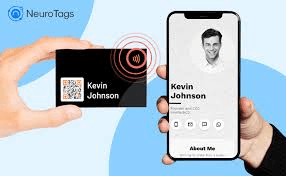
A tap reads a secure link from your card—no typing or pairing. Their phone opens your Tapnett page in the browser.
- Step 22/3
What gets shared
Only what you put on your profile appears after a tap. Nothing private is dumped to their phone unless they choose to save you.
- Step 33/3
Your profile & control
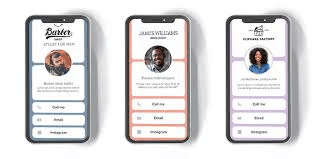
Edit once in your dashboard—every new tap shows the latest. You always choose what stays public.
How Tapnett NFC works
A tap reads a secure link from your card—no typing or pairing. Their phone opens your Tapnett page in the browser.
What gets shared
Only what you put on your profile appears after a tap. Nothing private is dumped to their phone unless they choose to save you.
Your profile & control
Edit once in your dashboard—every new tap shows the latest. You always choose what stays public.
Questions? Contact us